Tuesday, April 23, 2013

Plans Change, Shift Happens! (TLLP 2012-2013)


Tweet from Simon Sinek (April 23, 2013) - https://twitter.com/simonsinek
 I read this tweet this morning and it seemed to fit perfectly with what I have been experiencing with what I affectionately refer to as the iProject. There has been a lot of 'change' with the project - the only constant has been ME and my mentor. Nevertheless, I felt a strange comfort when I read Simon Sinek's message.

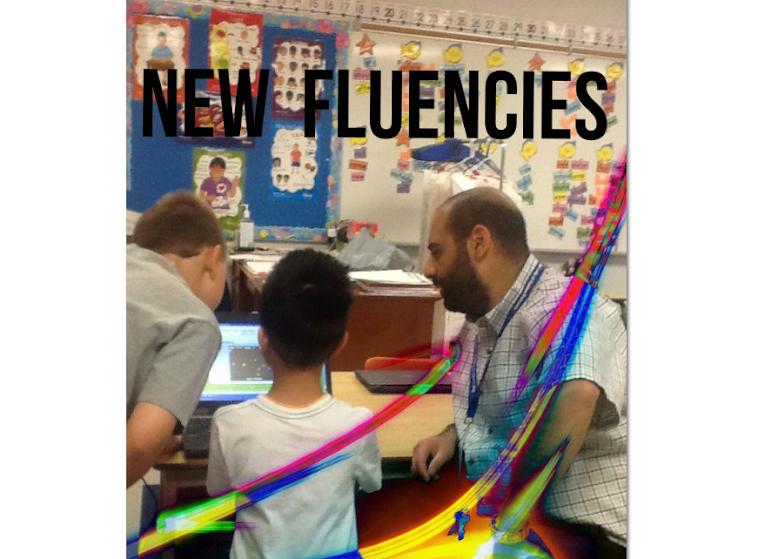
This project has taught me a lot about a variety of things, but what I am taking away from it today is how it has helped me transform into a better collaborator, communicator, and problem solver. While working on the project this morning I was wondering how my morning would go as I search for apps to assist our grade 2 student. Without question, each student is unique but usually there are similarities. All three of the students in this project are different and all of them are on a unique learning journey. One of our students is really doing well and able to meld a social aspect to it. Another student responds well to the use of the device but the social aspect is nearly non existent. Our youngest student has good days and bad days but has come a long way.

The main plan was to provide our students with an innovative way to meet their needs and help them learn and I am pleased to say that it has been happening, as we planned. Everything under the umbrella of the main plan has shifted and even changed. If someone had told me a year ago about all the changes that would come our way I would have laughed out loud and told them that what they were telling me would never happen.

I am 'ok' with what we have experienced throughout this journey so far and I look forward to the last couple of months as we lead our iProject students to success!

Saturday, April 20, 2013

Success for all Students: 21st Century Teaching/Learning using Tablets & A Blended Learning Model

Over the past few years my school board has invested in technological advancements/ideas in order to improve student engagement, achievement, and encourage the acquirement of 21st Century skills. Every classroom in our system is equipped with a Brightlink projector/interactive whiteboard. This combination allows for access and use of digital resources (e.g. You Tube, interactive websites) for teacher and student benefit. Also, teachers have been provided with training and access to software that allows for the creation of interactive lessons to be used via the projectors in the classrooms. On top of the investment in the classroom, all of our schools have wireless Internet hot spots that allow staff, students, and visitors to bring their own device for appropriate use in our buildings. 
 
With such great developments in our system, Ferdinand Krauss and I created a proposal for the Ministry of Education's Teacher Learning and Leadership Program (TLLP) which is an annual project-based professional learning opportunity for experienced classroom teachers. The TLLP "...funds proposals from classroom teachers who seek a peer leadership role in curriculum, instructional practice or supporting other teachers. The three goals of the program are to create and support opportunities for teacher professional learning, foster teacher leadership and facilitate the sharing of exemplary practices with others for the broader benefit of Ontario's students" (http://www.edu.gov.on.ca/eng/teacher/tllp.html). Ferdinand and I are pleased with the Ministry's decision to fund our project for the 2013-2014 school year.
 
Image courtesy of Michael Redfearn
 
 
Our project title is "Success for all Students: 21st Century Teaching/Learning using Tablets & A Blended Learning Model". Our plan involves the use of the collaborative inquiry framework to design blended learning projects that target a specific area of achievement and engagement for primary and junior students. A review of current instructional practice will help us to identify an innovative approach to achieving the stated learning goals. The Blended Learning activities will incorporate resources from the Ontario Educational Resource Bank, and tools from the provincial Learning Management System in order to differentiate instruction and provide enrichment and remediation for student learning. The use of tablets will allow students to actively participate in Blended Learning on a regular basis and help them to become more proficient at using Web 2.0 tools for collaboration and communication. Professional development will occur with the use of the Blended Learning model and the tablets so that educators interested in adopting this approach can use their own experiences to inform their practice.
 
Participating in the design, implementation and evaluation of a Blended Learning project will allow us to determine the specific instructional practices and strategies that are required to improve learning for primary and junior students. For example, what activities and formats do the students find most engaging and which ones are most successful at enhancing their learning? We will also be able to determine how to use the tools and resources to become more effective at differentiating instruction for a variety of learning styles and aptitudes in order to meet the needs of our students. Gaining experience using the tools in the LMS will help us to better design learning pathways for remediation and enrichment in a Blended Learning model. The knowledge we gain will be shared with other educators that would like to adopt this model as a result of our Board’s recent decision to support Bring your Own Device.
 
We believe that our project will contribute to increasing student learning and development by differentiating instruction in order to meet each student's needs. Helping all students succeed in their learning is an enormous challenge that requires an innovative approach such as the one we have proposed. The use of technology as a learning tool is an engaging one that allows for differentiation of content of instruction, processes & techniques to help make sense of content, and what students produce to demonstrate their learning. Differentiation is further supported with the use of Blooms Digital Taxonomy which is appropriate when using web 2.0 tools in combination with mobile devices. Moreover, the use of the blended learning model & tablets would also help facilitate student learning/development of critical thinking skills known as 21st century fluencies, making learning relevant to life in our digital age.

Image courtesy of Michael Redfearn
 

We are both very excited to have this learning and leadership opportunity. We look forward to engaging our students in such an innovative way while meeting their needs. Your feedback is welcome, please consider leaving a comment here or via email at rtwcdsb@gmail.com


Thursday, March 21, 2013

Professional Learning via the iProject

I recently spent some time with the other two teachers participating in the project to talk about our thoughts/feelings about the use of the iPad with our students. The discussion was a valuable one as it provided us with an opportunity to talk about our experiences thus far and learn from one another.

All of us see the technology leading our students to success. The device is playing a key role in keeping the students in line with what the class is working on with the added bonus of making things more 'social' for them. From our perspective, the use of the device seems to lead to instant differentiation that is meeting the needs of our students. The iPad is aligned with the IEP and it is as dynamic as the IEP - apps are often added and deleted based on the needs of the student.

There is a greater sense of team work with the Educational Assistants due to the constant communication around student learning. There is also a heightened awareness around technological literacy due to the manipulation of apps in order to meet the needs of the students. Each of us noted that the EA's that work with us are effective and efficient in directing their student to apps based on what the teacher is doing. It is as though we are all speaking the same language because the curriculum (IEP) is connected to the apps that the students are using to learn and demonstrate their learning.

Everyone involved (Students, EA's, Teachers) seem to have a heightened sense of responsibility and are taking great pride in the work that is happening with this project. The teachers spoke about the concept of equity and that the technology is providing a great example that fairness is not the same as providing students with what they truly need to learn and be successful. For the most part, the other students in the classroom understand what it means to be equitable and the novelty of the device in the room is no longer an issue - it is recognized as an essential learning tool for the student that uses it.

The student's participating in the iProject are not the only ones that are benefiting from this unique experience. The staff that are working directly with the students are growing professionally and the hope is that there will be ripple effects with our colleagues who are peripheral to this project. As the iProject approaches the end of its formal timeline we plan to meet again in order to fully consolidate our learning and celebrate our successes.

Sunday, February 17, 2013

Digital Resources are Improving Teaching and Learning

My students and I are currently working through a Teaching-Learning Cycle (T-L Cycle) with a "Reconciliation" theme. Its creation and evolution has come from the necessity to prepare them for their first Reconciliation (Religion), and it includes integration of other curriculum content like writing, reading, and dramatic arts.

With the addition of interactive Brightlink projectors in the classroom and software like RM Easiteach, I created an interactive framework to guide my students down a pathway that would benefit their learning and achievement. It was originally created in isolation but it has now been combined with high yield strategies to really give it a 'boost' in the right direction.

Interactive framework/pathway for preparing students for Reconciliation


The framework allows my class to venture through each of our topics interactively and it connects them to online texts (appropriate Bible stories) and You Tube videos. Prior to having the projector and software, I fondly recall gathering my students in front of the classroom computer monitor, all huddled together, to watch the digital media I wanted them to see. It was only 'interactive' if I let them use the mouse!

Example of a link to an online interactive story and a You Tube video


With the use of digital resources via our interactive white board, I am much more energized and passionate about my work and the students appear more involved and engaged. I love the number of video clips available to me via You Tube. From a short clip portraying Peter denying Jesus to a 15 minute video about Jesus visiting Zacchaeus, I am no longer held hostage by a 60 minute DVD that I need to cue up to capture the 5-10 minutes that will allow me to make my point and cause my students to reflect. Also, the online texts I use throughout this T-L Cycle allow the students to turn the pages sequentially and/or flip through the text as they make references and/or explain their thinking.

Another benefit of using online resources is that they are free and tend to be great 'visuals' for the students. One of the You Tube videos I show my students comes near the end of our preparation for first Reconciliation. It is a video of a mock Reconciliation! This might not be exciting to you but it is to me and my students! They get to SEE what they will be experiencing - what it looks like and sounds like. To quote one of my students, "Reconciliation won't be so scary now that we have seen what it looks like".


The access to digital resources and the ability to project them and interact with them is really adding a richness to my practice and my students learning. In combination with good pedagogy it is becoming a force to be reckoned with. I take the most joy in leveraging digital resources to teach my students how to be good people rooted in our Gospel values as I assist them in their Faith development. 

Wednesday, February 6, 2013

Term 1 iProject Summary - TLLP

It was only a few months ago when our TLLP team put, what I affectionately refer to as the 'iProject', in motion. Since that time, there has been a lot of learning going on - for all involved! With Term 1 officially ending this week, I invited our EA's to summarize their experience so we could share our learning with the greater community. Each of them took the time to reflect on their lived experience and provided me with their thoughts. 

The following reflection "highlights" have been adapted/adjusted slightly for style purposes and to protect the identity of our students.

Grade 2 Student

- In the beginning it wasn't possible to release the student with the iPad independently - I was afraid that she would drop it or delete apps. Now that she is more confident I am more comfortable letting her carry it and take the lead with it. She understands how careful she needs to be with it. She is great with it.

- The student can now open up and set up the iPad stand. She makes sure the iPad is face up while she prepares the stand, and uses both hands to prop the iPad into place. She still has a difficult time finding the buttons on the side (on/off and volume).

- It is amazing how she knows to look for her file folder (created for her so we can keep most of her apps in a central space) and scroll through the apps. I now tell her which app she will be working with and she recognizes the app by its icon.

- With some of the apps, we need full upgrade/version to get more benefits for her learning style. Some apps have too many tasks that overwhelm her from choosing.
- Her favourite Math app is 'Learning Money with Leo' -- it helps her with fine motor skills. The student cannot read but makes connections, this app helps her succeed.
- Another favourite app for her is 'Letter School' - it is helping her learn how to trace letter and numbers. The goal is to have her learn to trace the letters and numbers on the iPad so that she will be able transfer what she learns on the iPad onto pencil and paper.
- The best apps for her learning style are simple and have no time limit.
- With some apps I have to modify/differentiate within the app - she really enjoys this and she feels good.
- The apps we have worked with are helpful. She is engaged and has become more independent in using them. She gets so excited when she gets the correct answer that she doesn't want to stop using the iPad.
- The iPad is an excellent tool for this student. She is not able to write her thoughts down but this device is a great learning tool and offers her a great way to express herself. She feels successful and proud, and enjoys when it is easy for her to understand.
- The student also learns through songs. If we can find some apps that teach through songs while she can touch/tap while singing and learning.
- Is it possible to download appropriate music for the student? She misses music class and sing-a-longs would be good to keep her motivated.

Grade 4 Student

Some staffing changes were made and the EA that was working with our grade 4 student was re-assigned. The new EA placed with this student was open to participating and jumped right in!

- Initially I allowed the student to choose what he wanted to spend his time on when using the iPad. The use of the iPad usually occurred near the end of the day and it was his reward time for work completion throughout the day.
- I soon realized that this was definitely a tool that I needed to embrace and could use for teaching.
- He is tech savvy and I am not, so the use of it leads to good teaching moments for him. His language skills, patience, and self-esteem have improved due to the fact that he was teaching me. 
- He would chose to spend a lot of time on the cursive writing app and we would make a game out of it to encourage him to follow the lines perfectly.
- He enjoys typing out a class schedule, I have him work on his typing by using both hands. The writing and typing are both exercises he needs to do with his hands in order to enhance what his OT recommended he work on.
- We have had random success with Math apps.  Some were above his level and some games (e.g. Mathopolis) didn't give enough time for him to process the question and work it out before moving on to the next question.
- In Math he is resistant to working on, for example, obtuse and acute angles. While working on another app, not related to Math, I asked if he could draw an obtuse and acute angle. No problem. He also independently chose to play with Shape Board. He enjoyed drawing all kinds of geometric shapes. It was great math review for him.
- Reading is much more enjoyable for him on the iPad. He has the choice of reading or having it read to him. I use the stories to have him do predictions, recounts, talk about the emotions of the characters, and have him draw pictures of his favourite part when he is finished.
- He enjoys being able to go back and have stories read to him as many times as he likes. He enjoys the interactive features of the stories and I think this really helps him grasp the stories.
- The apps are not always aligned with the curriculum
- Being able to access Google in the classroom would be an asset for him. Not having wireless Internet in the class means we can't spontaneously research something. With this student it is a "in the moment" teaching style. He will suddenly take interest in something that he has absolutely refused to take interest in previously.
- The math and story apps are the most useful for curriculum at this time.
- The student needs to be supervised if he is using the academic apps in order to remains focused.
- During free time on the iPad he will use his favourite apps. This serves a great purpose for him as it allows him to calm himself and settle down if he is having a stressful day.
- For my student the iPad is definitely an asset and fortunately he is comfortable with it.  When we spend time on the iPad the learning and teaching is a two way street.
Grade 5 Student
- The student and I have enjoyed the learning, exploring, and fun that has resulted from this project.
- The use of the iPad has allowed for more individualized learning. Sometimes the class learning can be challenging and beyond the student's level. With the iPad we can find an app that is in line with the class learning and better for the student.

- Often with Autistic students they can be left out of group activities but with the iPad the student can partner up with his classmates and offer a different tool for learning that is appealing and aligned with the topic that the class is working on.

- The negatives I have experienced with the iPad has been around lack of wireless Internet and apps that offer a taste of nothing at all.

- Overall I love this project!!! The learning and future apps that will be available for special student will make a big difference academically.

Moving Forward

Based on the information provided by our EA's, it appears that our participating students have benefited from the use of the iPad. The "right" apps have benefited our students academically, specifically in Literacy and Numeracy. The use of the device seems to excite the students about their learning, engages them, and leaves them with good feelings. The students seem to be more confident, independent, and responsible. Aside from a positive learning experience, it appears as though the device allows for inclusion, co-operative learning, differentiation, and collaboration. 

Finding the "right" app is like finding the gold at the end of the rainbow. When we find one that works well we feel exhilaration and the students are advantaged. When we experience one that does nothing for our students we are left feeling frustrated. Finding good apps is no small task (as I have blogged about). It continues to be a major 'next step' as the project moves forward into the second term of this school year. Another obstacle seems to be the lack of wireless Internet where the students are primarily situated on school property. The EA's and I have talked about this issue several times. Our school has wireless 'hot spots' but our EA's struggle with the use of a specific app versus the concept of inclusion. They are aware of the need to have their students with their peer group and wish that our entire school site was a 'hot spot'.

I can't say enough about the EA's that work with our three students. They directly impact their student academically and emotionally each day on top of the back and forth communication with their classroom teacher and myself. They are fantastic and necessary to this project. Their hard work and engagement is necessary for this project to benefit the students and I thank them for that and will continue to support them as best as I can as we move forward.


Wednesday, January 30, 2013

iProject Reflections

The EA's that work with our Autistic students have been doing a fantastic job on all fronts of this project. As they work with their student each day, they manage the use of the iPad, learn the apps that their student uses, interact with me, and document their thoughts/ideas/concerns in a journal. They are juggling many balls in the air and I am very appreciative of their time, effort, and enthusiasm.

To support them in their documentation of their experience, I provided the EA's with questions that act as prompts for reflection. Here are some of our grade 5 student's EA reflections.

Q: How are you doing with the implementation of apps?
A: I struggle with technology but I believe strongly that all our students need to be on top of technology to fit in the world. I wish I could spend more time learning to better teach my student.

Q: Can you gradually release the student with the iPad or with the apps?
A: The student is independent most of the time when using the iPad. He has one at home.

Q: What are some of the obstacles that your/your student face on a daily basis?
A: The apps cut out every now and again. Some apps don't work without an Internet connection. (NOTE: our school has wifi hot spots but that would mean that the student and EA would need to leave their portable to go to a hot spot. I have been informed that the student does not like to be away from his class/friends. He very much likes to be included.)

Further comments by the EA:

"When the student is on the right app he is engaged with the iPad, but if he doesn't like the app he will refuse to use it. The classroom teacher is awesome at allowing dedicated iPad time. The iPad is an awesome tool that will benefit the student in improving his basic math and reading skills."

Next step: I have invited the EA's to reflect on and summarize their experience over the last few months. I look forward to sharing their experience with you. More importantly, I look forward to working with them and the classroom teachers to set plans/goals for term 2.

If you have any questions or comments about this or other blog posts regarding our iProject, please feel free to comment here or email me at rtwcdsb@gmail.com.

Monday, January 14, 2013

Leveraging Technology for Diagnostic Assessment in Math

In Math my students are learning about Time. When it's all said and done, they are expected to be able to tell and write time to the quarter-hour, using demonstration digital and analogue clocks. Time is one of the concepts that my students have always had difficulty with. I used to think it was them - now I think it is me. Having spent some time reflecting on how I would teach them, I thought it would be beneficial to leverage iPads and iPod Touches to kick start their learning journey around the concept of Time.

My students have demonstrated great engagement and responsibility when using the above mentioned technology. Aside from some minor issues (ones that arise in any classroom) they show a focus and an eagerness to use the devices to their full potential. They make the most out of the time given to them with the idevices and they know how serious I am about using the "tools" to further their learning. For these reasons, I thought it would be appropriate to let them explore the concept of Time using some apps that I am familiar with to explore the concept. This would serve as a diagnostic assessment, providing me with valuable information about what the students know (prior knowledge), what they think they know (accurate and inaccurate), what they don't know, and what they seem to be interested in learning.

I put the students into groups of two and three (depending on the device they were using) and encouraged them to use "Wake the Rooster by Telling Time" and "Interactive Telling Time Lite".

Here are some of my notes about what I saw and heard as the students worked on the two apps.

  • I heard students counting by 5's as they worked to figure out what minute the hand was pointing at
  • I heard the students talking about the minute hand and the hour hand (few were able to explain any more than that)
  • Many students were able to tell the time when it was on the hour (e.g. 6 o'clock)
  • Many knew what a digital clock was but did not know what to call the "analog" clock 
  • Some students mixed up the hour hand for the minute hand and vice versa
  • Most students can read a digital clock without difficulty
  • A few of them can tell the time to the quarter hour and have an understanding of the terms "quarter after" and "quarter to"
All the students seemed to have fun - they started off on the right foot. They seemed interested and engaged, they worked together, and they took risks that they might not have taken without the use of the idevices. The apps are like games and they all like to play games. The best part about them playing games is that they know that they won't always win - which allows them to be a little looser and easy going about the entire experience. They also know that using the devices in combination with specific apps is purposeful and that we wouldn't be doing it if I didn't believe that it would benefit their learning.

The plan now is to provide the students with what they need to get them to our learning goal: tell and write time to the quarter-hour using demonstration digital and analogue clocks. The next step is to create an anchor chart that explicitly guides them in telling time. The students that 'get it' will assist in the creation of the chart and it is my hope that they will lead their classmates as we work together to move everyone forward.